Rumbo: how I built my personal financial health app in 3 days (and why it doesn't live in the cloud)
Project Tech Sheet
Month
Month 1
Project
Rumbo
Tech Stack
AI Tools
I'd had the same dumb problem for years: my finances split between a half-filled spreadsheet, a bank app that only sees one account, and a rough idea in my head of "how am I doing" this month. Never urgent — until, one day, it was, and by then it was too late to react calmly.
So project #1 of this challenge wasn't going to be the flashiest or most ambitious. It was going to be the one I actually needed: one place to see, at a glance, income, expenses, debts and savings — and one that would clearly tell me if I'm doing fine or not, without me having to do the math.
Rumbo: your financial health, in one explainable number, not a spreadsheet with formulas you no longer remember.
What does Rumbo do?
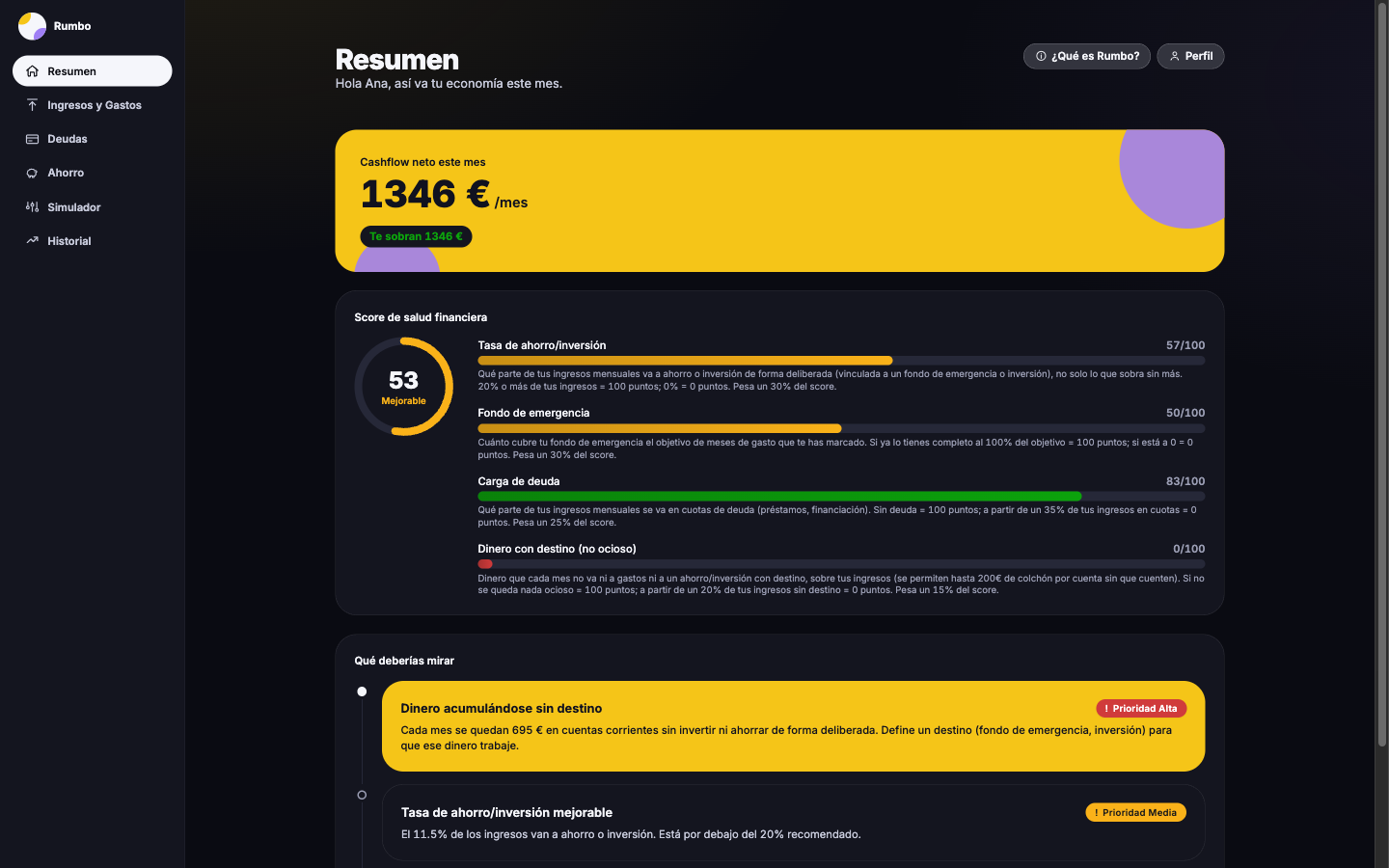
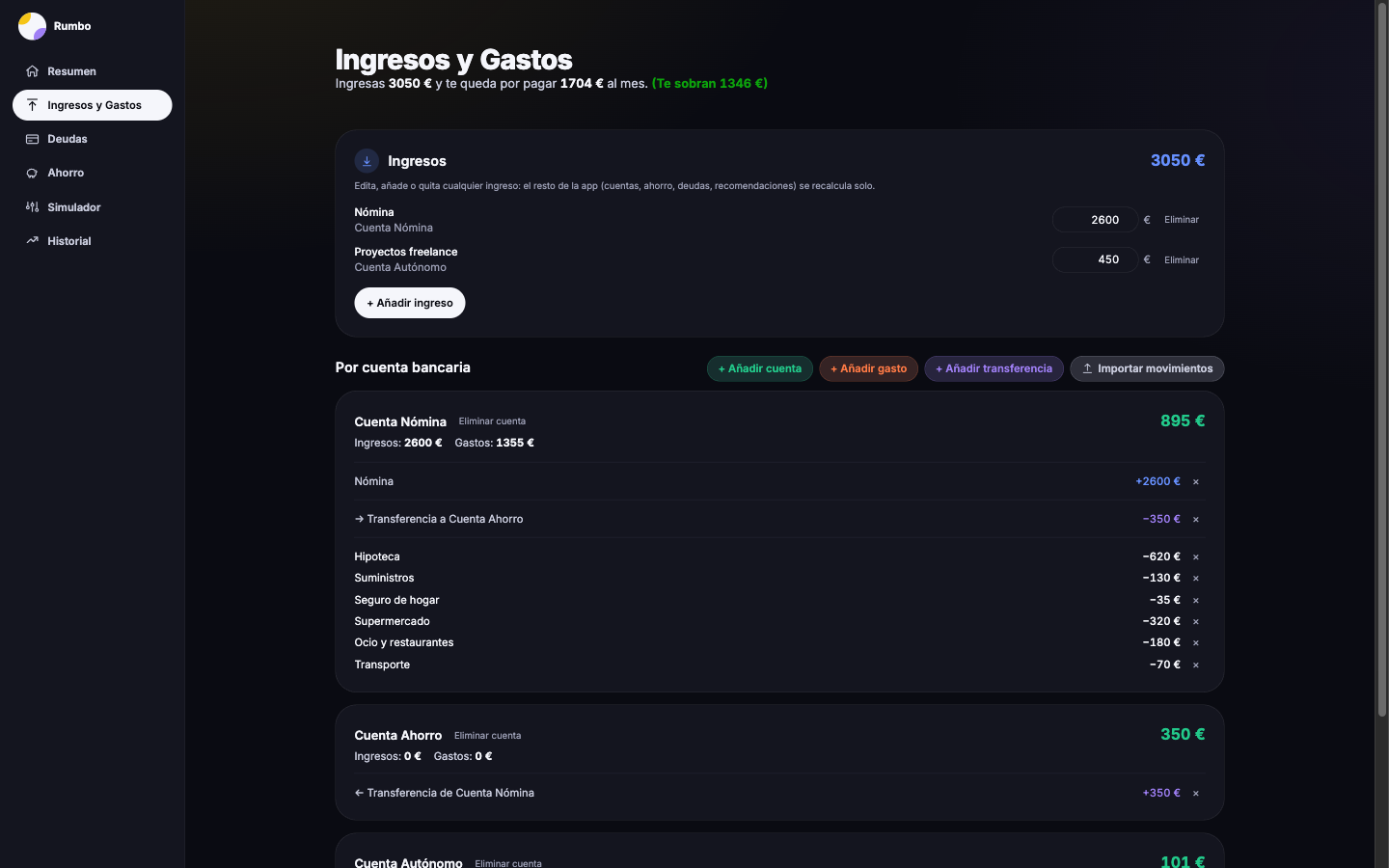
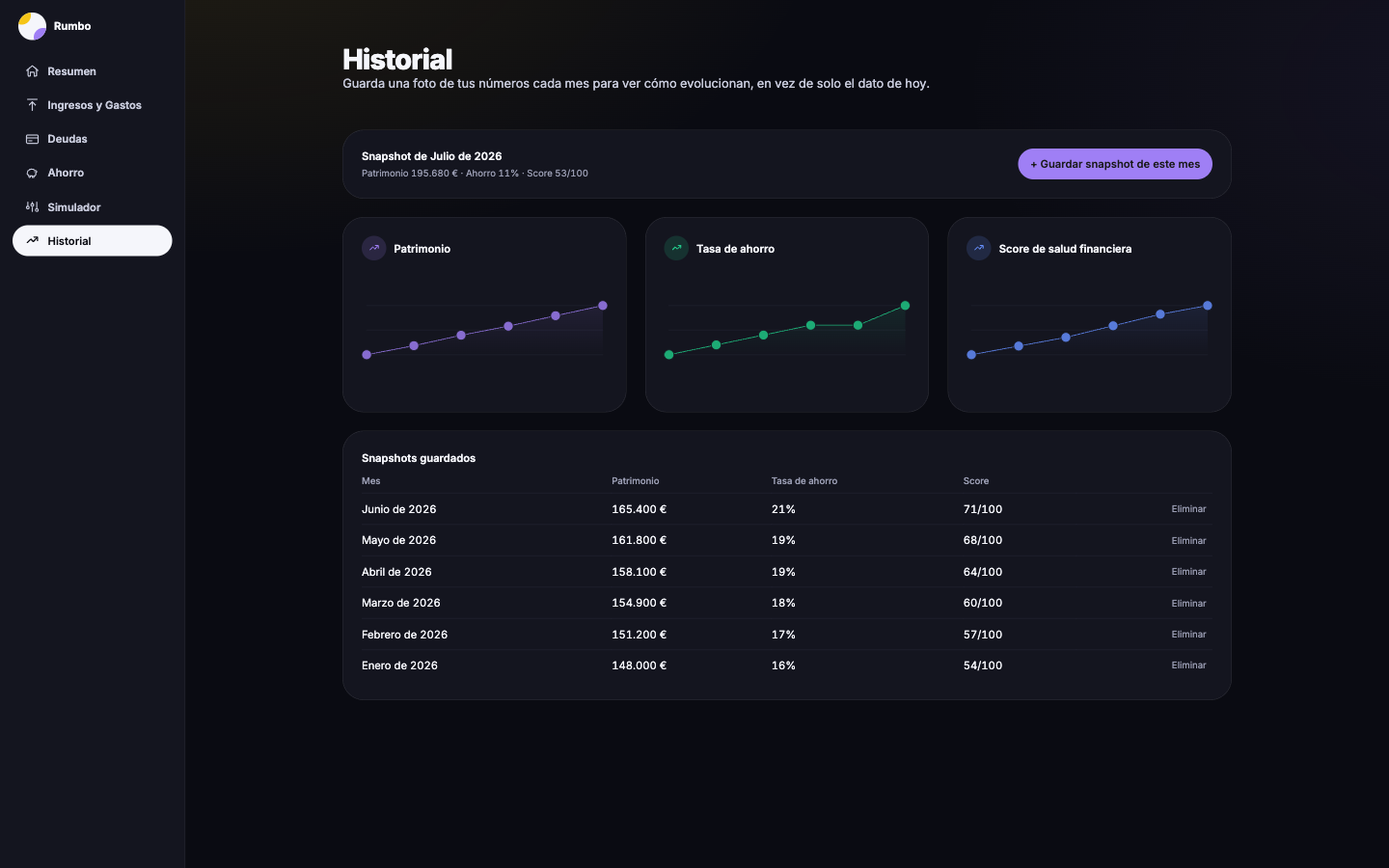
It's a personal (single-user, just me) app with six screens: overview, income and expenses, debts, savings/investments, history and recommendations. Full CRUD everywhere — create, edit and delete with confirmation, never the browser's native `confirm()` — and all state lives in a real database, never in memory or `localStorage`.
- Financial health score (0-100): combines savings rate, debt load, emergency fund progress and idle money — broken down factor by factor on screen, never just the number.
- Rule-based automatic recommendations: money sitting idle in checking, an incomplete emergency fund, several active debts at once... deterministic and explainable, not a black box or an LLM call.
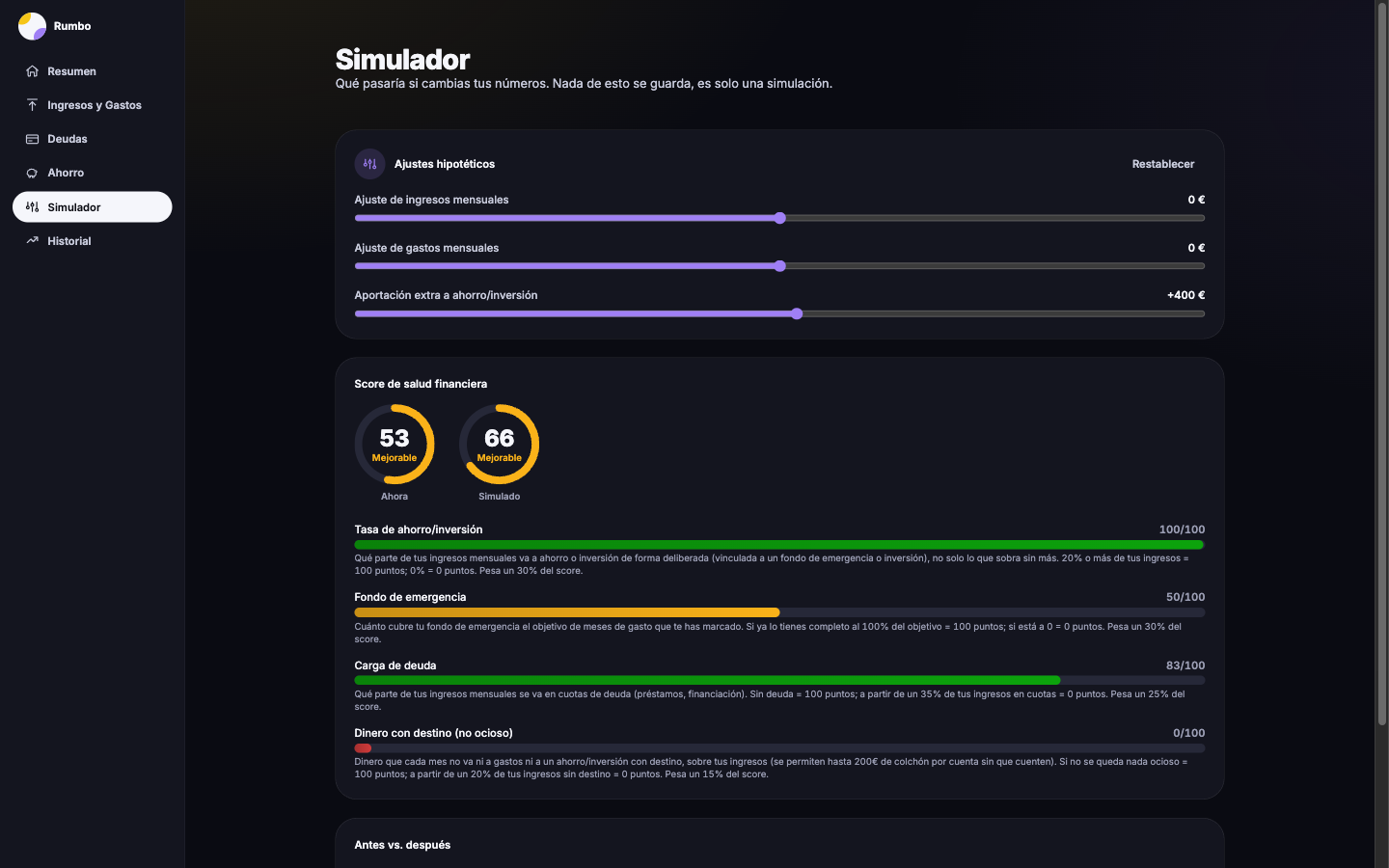
- "What if" simulator: tweak income, expenses or savings contribution with sliders and see the impact instantly, without saving anything.
- Real bank statement import — any bank in xls/csv (tested with ING and Ibercaja), Bankinter and BBVA in PDF — to spot recurring expenses you hadn't logged.
The number that updates itself
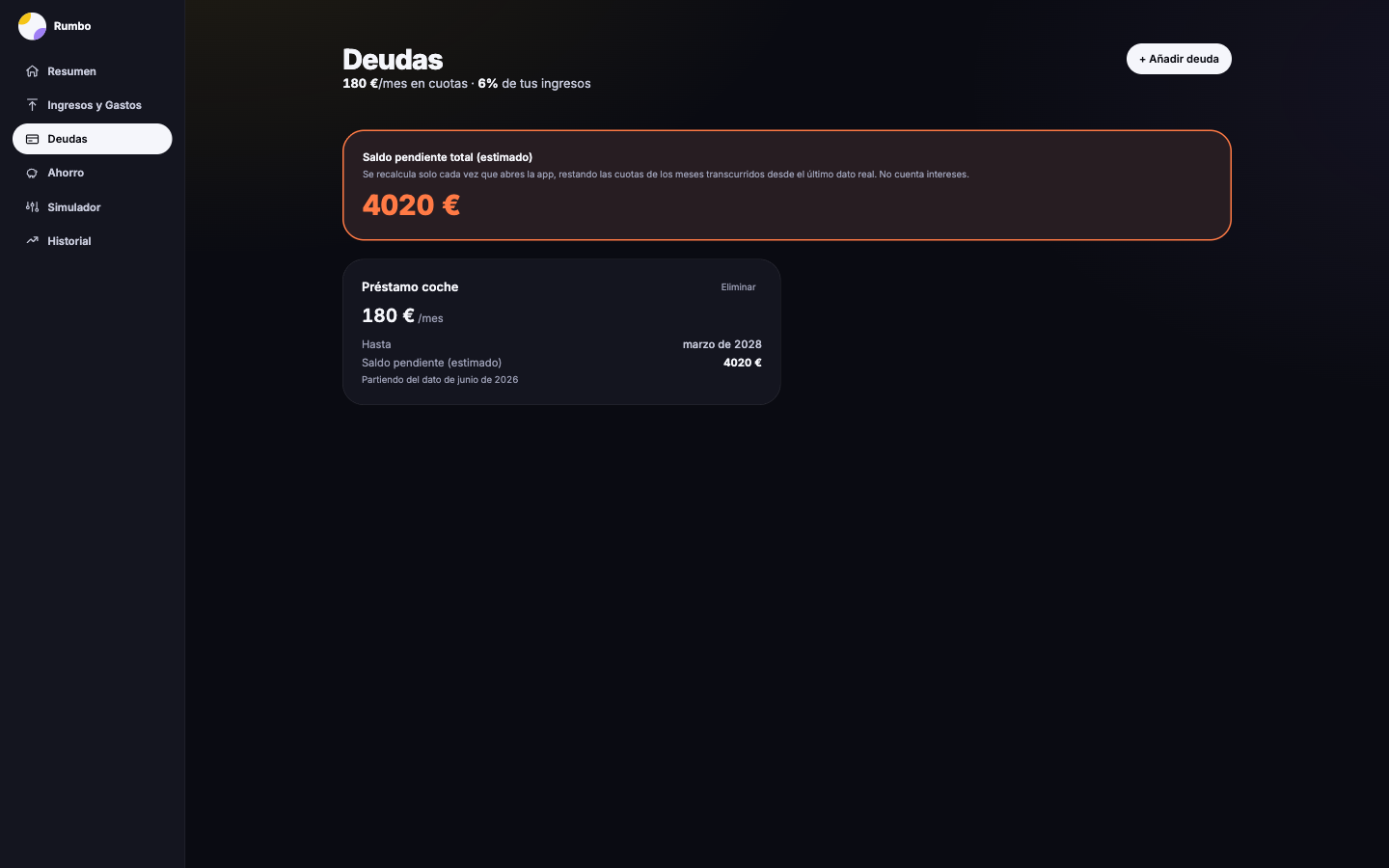
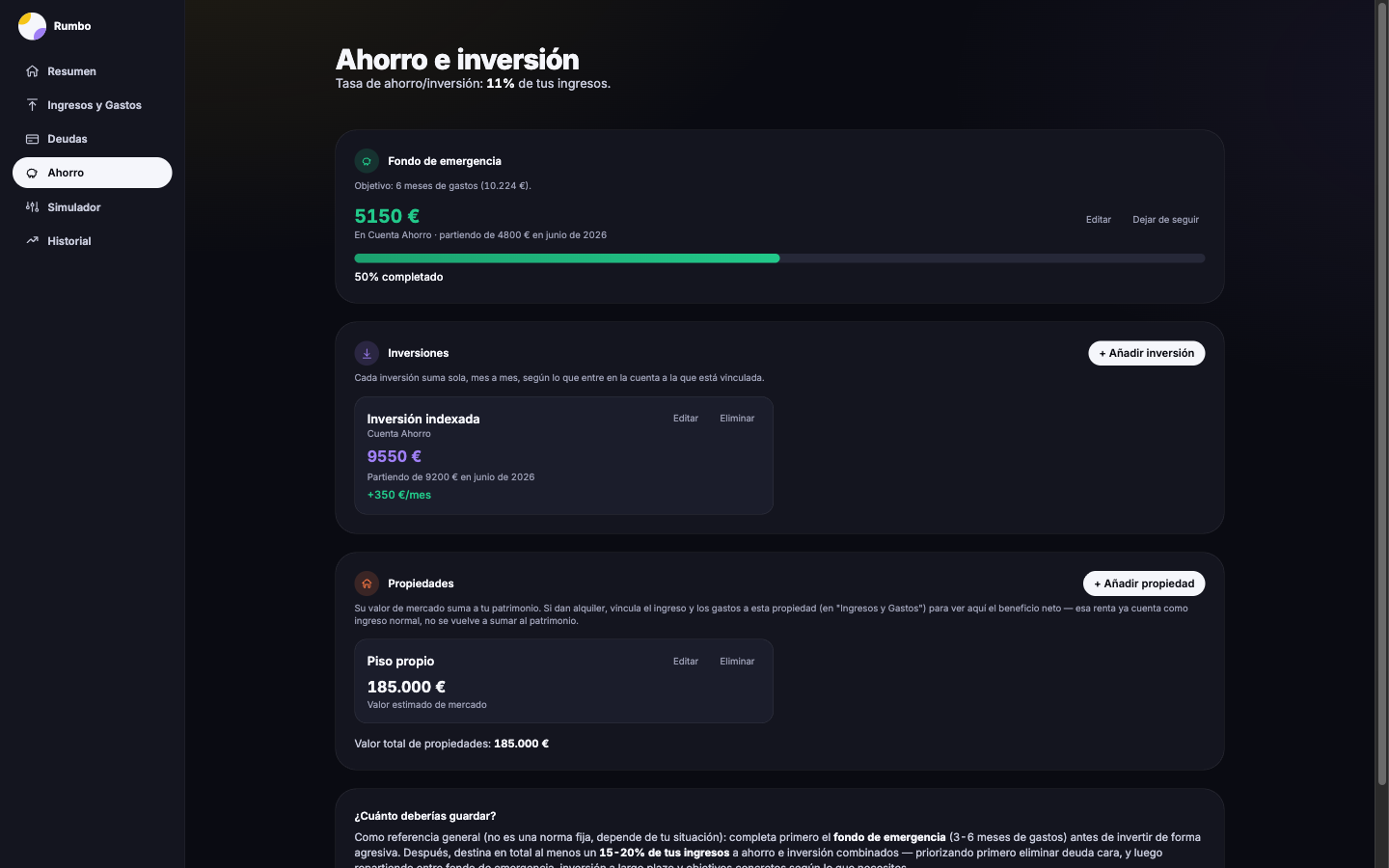
The design detail I'm proudest of is small but solves a real friction: a debt's remaining balance isn't edited by hand every month. Each debt stores a known balance and the date it corresponds to (`balanceAsOf`), and the app subtracts one installment for every month that's passed since then. The emergency fund and investments use the same pattern, inverted: they start from an initial balance and the app adds, month by month, the linked account's actual net balance on its own. The number is never stale because you never have to touch it.
Importing a bank statement without uploading anything anywhere
The xls/csv side isn't tied to ING: instead of mapping fixed columns, the importer looks for headers containing words like IMPORTE, DESCRIPCIÓN/CONCEPTO or FECHA, so any bank that exports with those column names works without writing a single line of bank-specific code — I tested it with a real Ibercaja export and it worked first try.
PDF is the other side of the coin: neither Bankinter nor BBVA have a real table, just text positioned on the page, so each one needs its own parser. With Bankinter, each row had to be manually reconstructed by grouping text fragments by their Y coordinate, and each amount had to come from a balance difference (new balance minus previous balance), because the reconstructed text loses the alignment that would distinguish a charge from a credit. BBVA does print the signed amount on the movement's own line, but doesn't print the year on each date — it has to be taken from the statement's issue date instead. All of this happens right in the browser: the statement never leaves your machine.
That also surfaced a real compatibility bug: the PDF-reading library uses `Promise.withResolvers`, which doesn't exist on Safari below version 17.4, and reads text with a pattern (`for await` over a `ReadableStream`) that's unreliable on Safari/iOS. A polyfill and a manual read of the same stream fixed it — verified on Chromium with Playwright and confirmed by me on my own phone.
And another real bug, this one found once the challenge was already underway: the Ibercaja statement has both a "Concepto" column (the movement type, e.g. "RECIBO") and a "Descripción" column (the actual merchant, e.g. "SECURITAS DIRECT"). The importer kept whichever column it found first, grouping unrelated expenses under the same generic type instead of by merchant. It now explicitly prioritizes "Descripción" over "Concepto" when both are present.
3 days, 82 commits, and the bugs that came out of testing it for real
I tested the whole CRUD end to end with Playwright, deliberately using non-round amounts — and that surfaced bugs that would have gone unnoticed with nice round numbers:
- A `<input type="number">` with a fixed `step` silently blocked form submission if the amount wasn't an exact multiple, with no visible error on screen.
- The backend's CORS plugin didn't advertise `DELETE` in the preflight — deletes were failing silently.
- The HTTP client always sent `Content-Type: application/json`, even on bodyless `DELETE` requests, and Fastify rejected the empty JSON.
- The backend only listened on `127.0.0.1`: it worked on my Mac but not from my phone, until I switched the binding to `0.0.0.0`.
- A real Postgres restart, mid-way through unrelated work, took down the entire backend because the connection pool had no error listener — reproduced on purpose against a test database and fixed before it could happen again with real data.
The code is public. My accounts aren't.
That's why the "View Project" button on this card links to the GitHub repo, not a live demo: deploying this publicly would expose an editable, unauthenticated form to anyone who found the URL. Before pushing the repo I audited the entire commit history (not just the current state) for any real data that had slipped into a message or a placeholder value — I found two and rewrote them before publishing. The real data (config and database seed) is gitignored; only example templates are versioned.
Building in public doesn't mean showing everything — it means showing the code and the decisions, not necessarily your own bank balance.
Next month: tappttoo, or whatever ends up feeling more urgent by then. Shall we?